Create Fresh Pass Photos
Completely Free
No watermarks, no registrations, no fees. Upload any standard camera selfie photo, instantly remove backgrounds, crop precisely to global consular standards, and save individual files or tiled 4x6" pharmaceutical photo paper print sheets.
USA Passport
Awaiting JPG/PNG
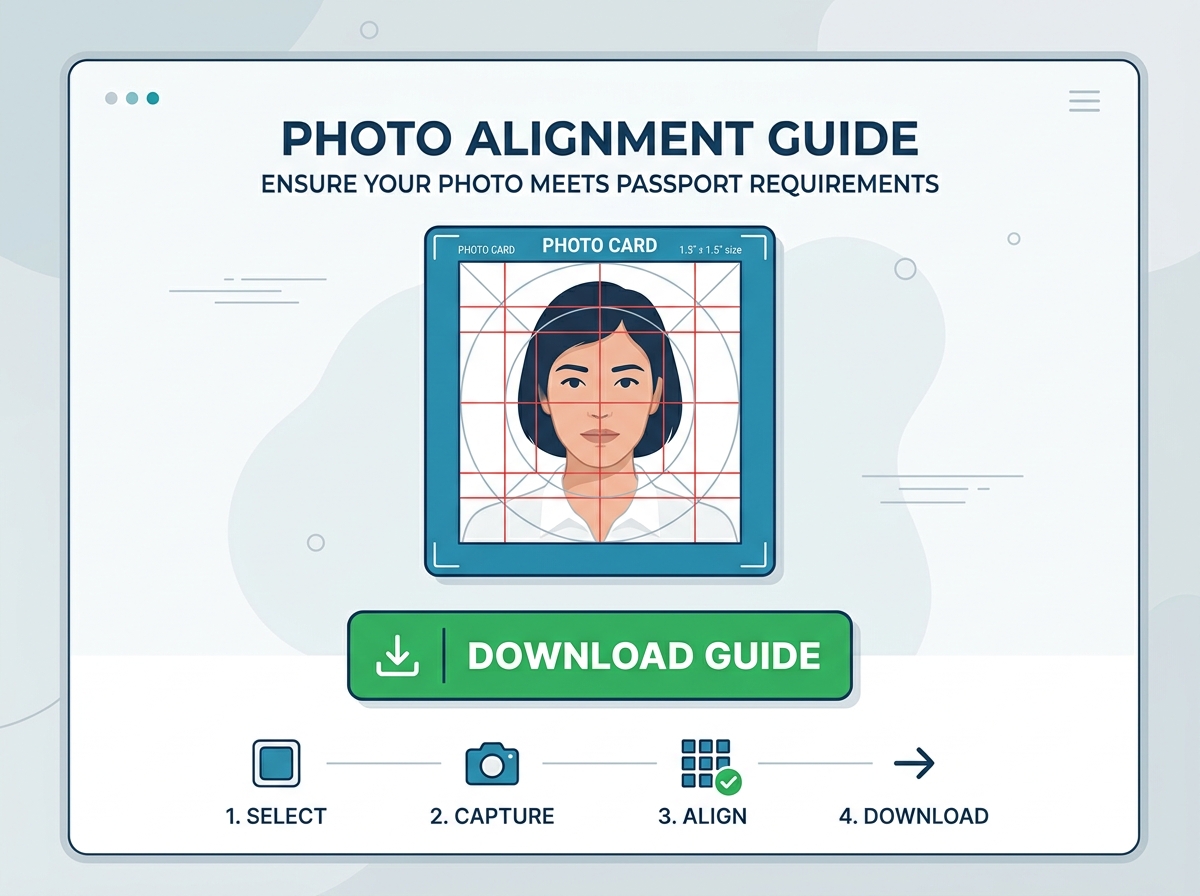
Align head silhouette
Solid backdrop swap
Single copy or 4x6" tiles
Biometrics Instructions For Approval
- Align your chin baseline on the lower horizontal silhouette band.
- Ensure the top of hair / crown coincides safely inside the top border.
- Center eyes symmetrically directly with horizontal horizontal lines.
- Keep neutral pose without smiling. Completely open both ears.
Upload Portrait Selfie
Drag & drop your photo copy here, or click to browse local files. Normal ambient lights and light grey/white background preferred.
Blueprint & Rulers Metric
Compliance format: USA Passport
Head must be 1 to 1 3/8 inches (25-35 mm) from the bottom of the chin to the top of the hair. Click the dashed guidelines on the model portrait avatar above to read precise metrics.
How to Take the Perfect Passport Photo
Consular rejection is usually caused by simple errors like wrong face level or background shadowing. Follow our official alignment recipe.
 01
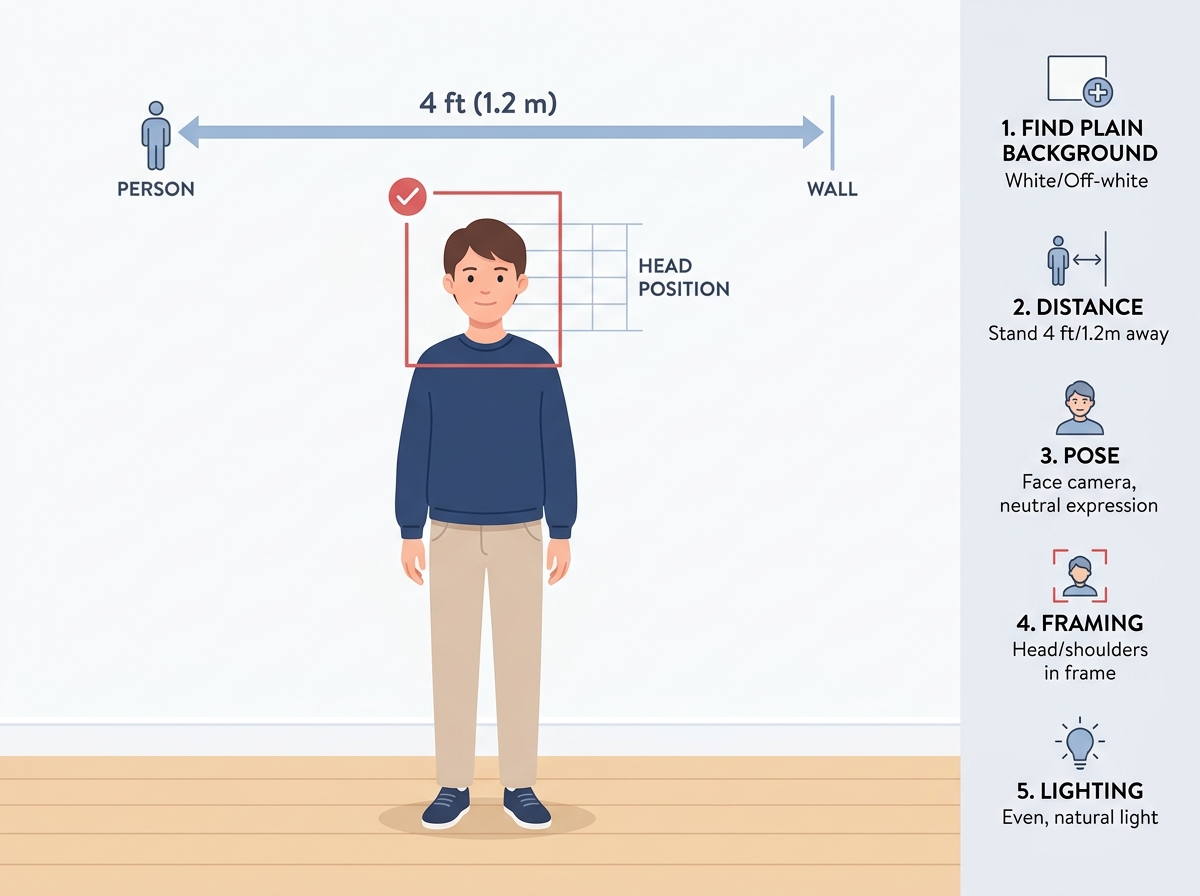
01Find Clean Wall
Stand 4 feet in front of any white, off-white, light gray or pastel colored wall to ensure clean shadows.
 02
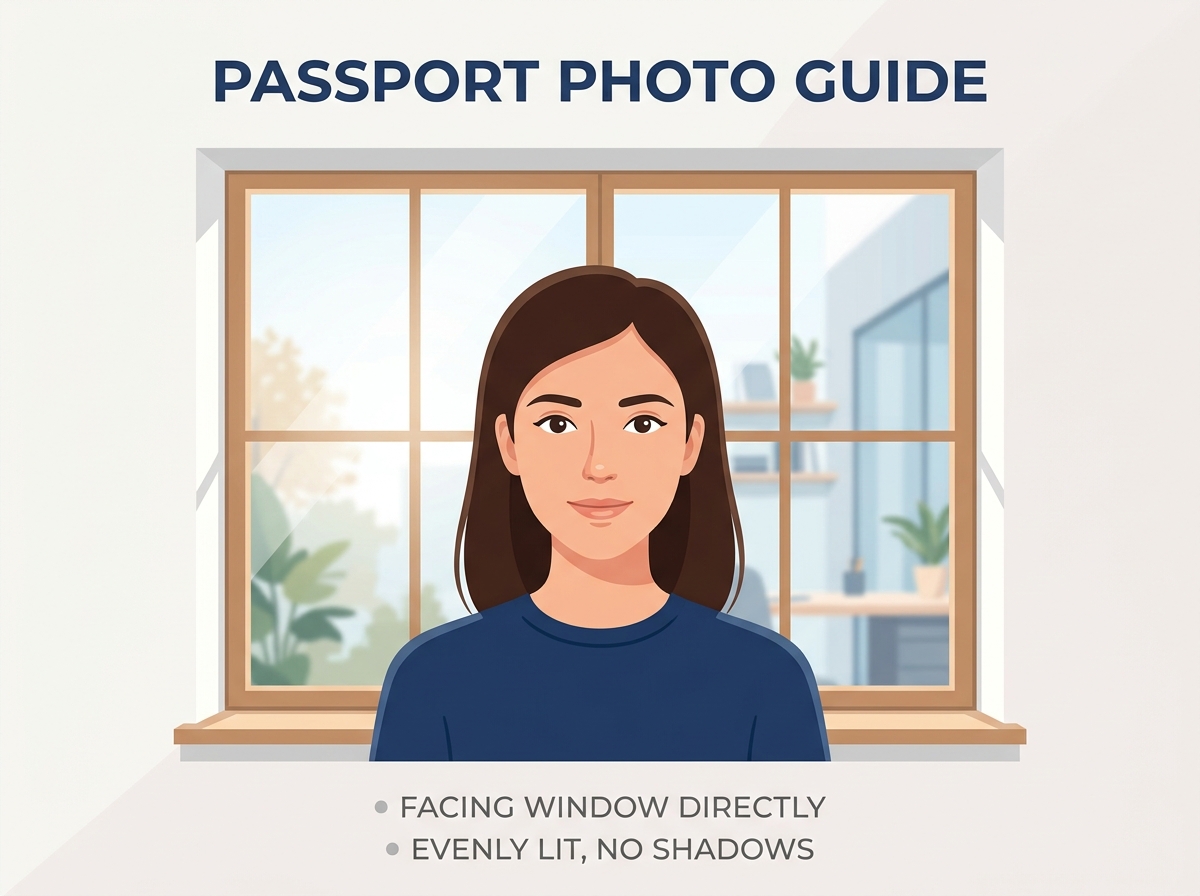
02Check Lighting
Face a wide window directly so daylight illuminates your face symmetrically, avoiding solid side-shadows.
 03
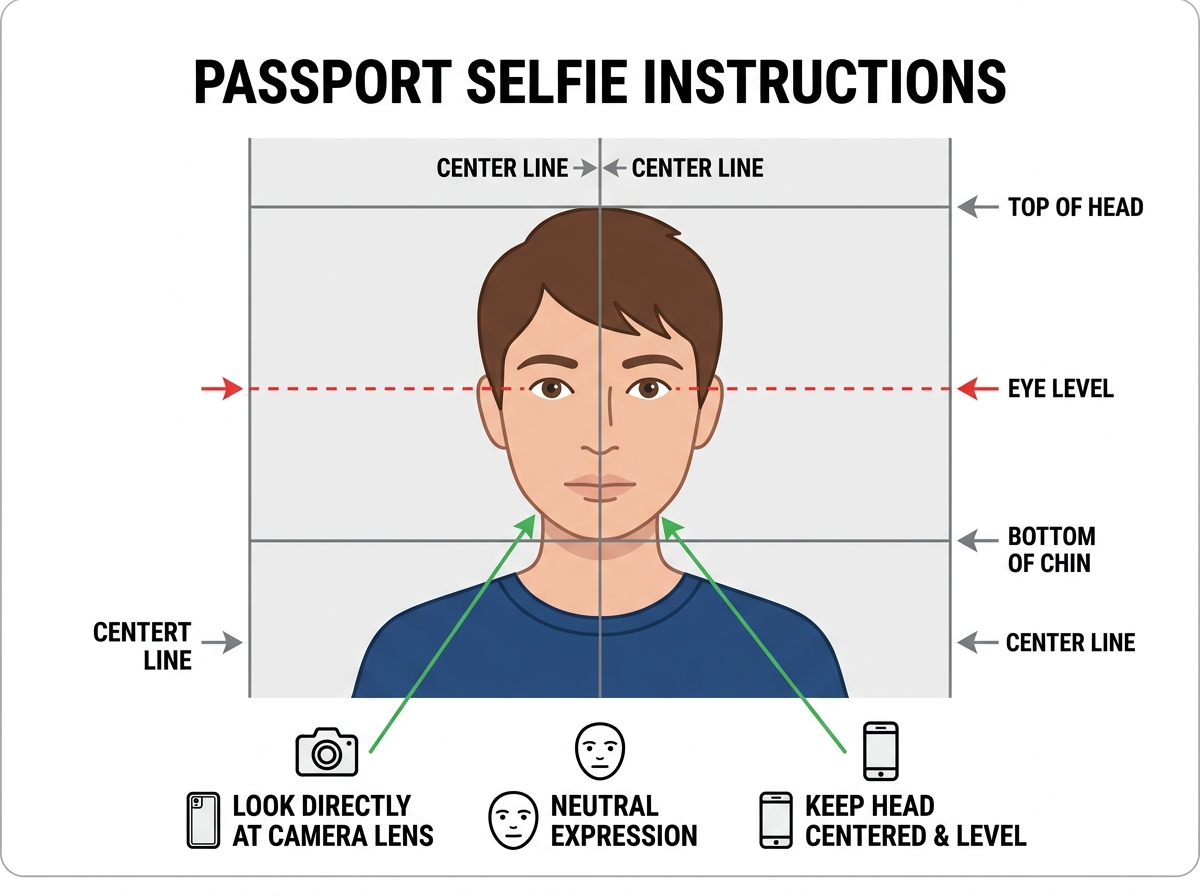
03Direct Face Shot
Look completely straight at the camera at eye-level with ears fully visible and a neutral expression.
 04
04Align & Download
Use our overlay sliders to line up your chin and hair crown, segment background, and save high-res!
Correct Practices (Dos)
- •Maintain a completely neutral mouth shape with both eyes fully open and gazing straight forward.
- •Keep your shoulders perfectly level and visible in the portrait frame.
- •Ensure your outer ears are clear of thick locks or stray hair overlaps.
- •Take a picture with high-resolution clarity and natural skin lighting filters.
Common Mistakes to Avoid (Don'ts)
- •No Glasses: Prescription glasses, tints, or sunglasses are strictly banned by US and major state departments.
- •No Headgear: Headwear, activewear caps, or headbands are rejected unless worn continuously for religious beliefs.
- •No Smiles: Smiling so teeth are visible alters cheek profiles and will trigger biometric reader rejections.
- •No Heavy Cast Shadows: Flash light sources against backgrounds cause thick halos that consular inspectors flag immediately.
Frequently Asked Questions
Learn more about biometric compliance, layout dimensions, print specifications, and color profiles before generating.
Need Help Setting Up Your Photo?
We recommend taking your picture standing 4 feet away against any neutral wall with uniform window light facing your front. This prevents side-shadows which are the principal cause of rejection. Adjust contrast sliders inside our tool after uploading to brighten up dark colors.